
Over the past few weeks, I’ve run into the same issue with two different clients. Both had logo files with the “right” extensions—one was an .EPS and the other an AI—which usually signals that the artwork should be vector and editable.
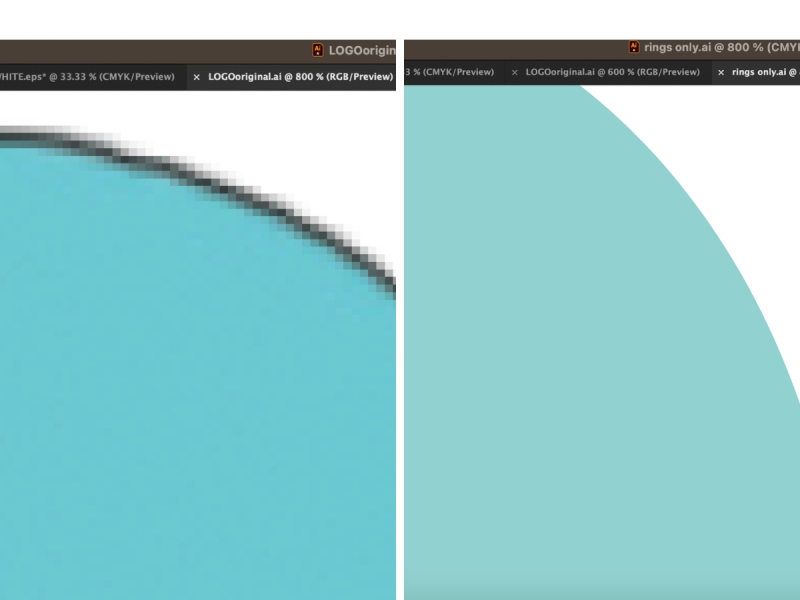
After opening the files, it turned out neither logo was actually built as a true vector. This visual shows the difference between a true vector file and an image that has simply been saved in a vector format. On the left, the edge breaks into visible squares when zoomed in. That means the artwork is made of pixels. On the right, the curve remains perfectly smooth even when enlarged. That’s because it’s built from vector paths, which can scale infinitely without losing quality. Both files might technically open in Illustrator, but only one was constructed correctly. When a logo is built as a true vector, it will reproduce cleanly no matter how much it is enlarged. So your logo looks just as good on your business card as your billboard or vehicle graphic.
A logo is not automatically a vector just because it’s saved as an .EPS file. File extensions can be misleading. Sometimes what’s inside that file is simply a flattened image saved in a different format.
Another point of confusion I’ve heard recently: if you receive a file with an AI extension, it does not mean your logo was created with artificial intelligence. It simply means the artwork was created in Adobe Illustrator, which is generally a very good sign. Illustrator is designed to build logos using scalable vector paths. If you’re unsure whether your logo files were built correctly, I’m always happy to take a look and point you in the right direction. #logodesign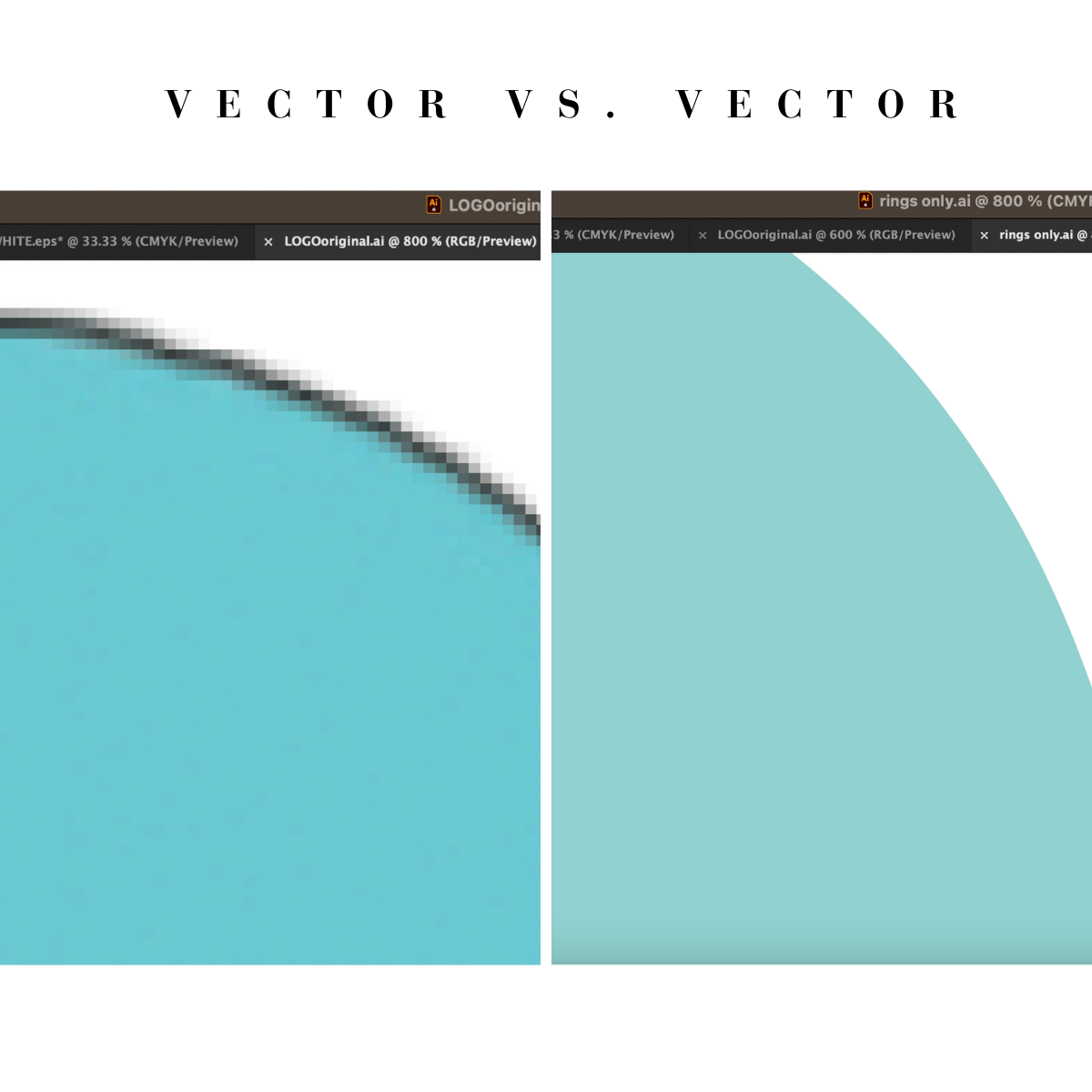
 2025 year in review